Free · no sign-up needed

Upload a photo,
get an AI 3D model.

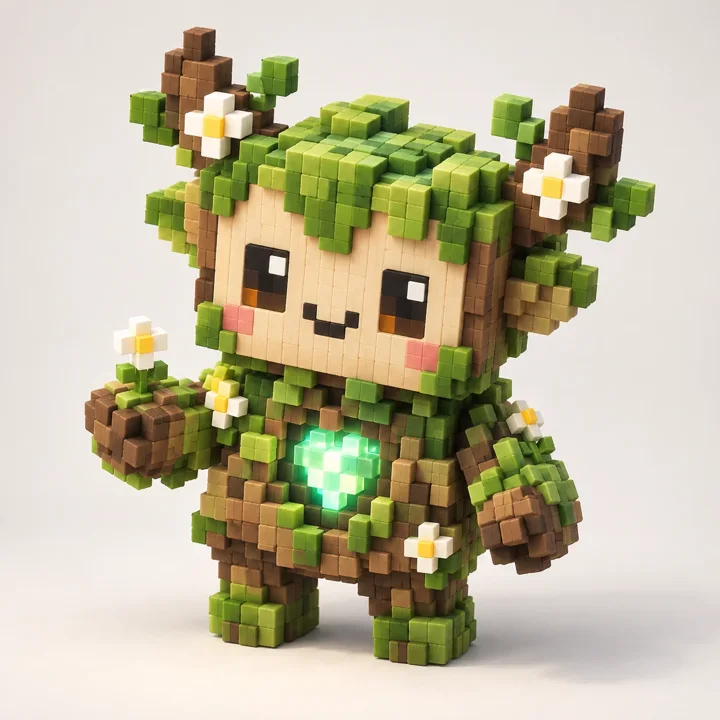
In seconds, we turn your image into a 3D model with a polygon count you choose, or a painted voxel build in the cartoon style. Download the result as STL for your 3D printer, or GLB/OBJ for your game.

Try it free No sign-up · takes seconds
Free No sign-up / account Fair queue system STL / GLB / OBJ
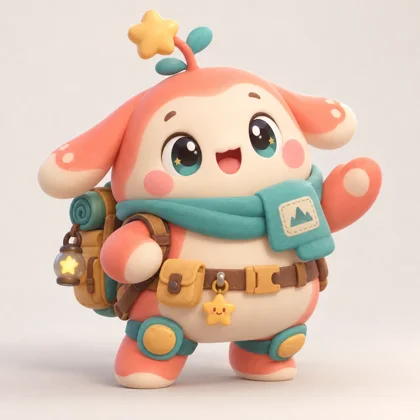
Source photo of a cartoon characterYour photo
Drag to rotate the voxel result
How it works

Three steps, a few minutes

Pick a tool, upload your image, choose your settings. The GPU handles the rest — you watch it happen with a live preview.

1

Upload your image

Drag and drop, click, or paste. Add photos from extra angles if you want an even more accurate back and sides.

2

Pick your tool and settings

Style and polygon count for a 3D model; resolution, color count, and the Cartoon look for voxel — it's all up to you.

3

Download and use it

Spin the model around in your browser. Not happy? Refine it or add texture. Then download as STL, GLB, or OBJ.

Features

More than a one-trick tool

Details built for game developers, 3D-printing hobbyists, and model makers.

Polygon control

From 50 up to 100,000 — you decide, from a low-poly game asset to a detailed, print-ready model.

AI painting

Every side of the model is painted true to the source image — not just projected from the front.

cartoon-style voxel

A bright, blocky, player-friendly look. Let it pick the resolution automatically if you want.

Refine & add texture

Like the result? One click bumps it to a finer detail level, or add texture to color it in.

STL / GLB / OBJ

Set the largest dimension in mm and get your STL for 3D printing. Download GLB or OBJ+texture for your game engine.

Live preview

Watch the frames as the model is generated — no wondering whether it's actually working.

Fair queue

Everyone gets in line, and jobs run in turn. You can see your position and estimated wait time.

No account needed

No email, no password, no sign-up. Upload an image, get your result — we don't keep anything beyond your job ID.

Two tools, one address

Which one do you need?

Both start from the same image and end up somewhere different.

Learn

Guides for better 3D results

The tool is only half of it. These guides explain what is happening under the hood and how to get the result you want.

See all 12 guides

FAQ

Frequently asked questions

Is it really free?

Yes. You can use it without an account and without a card. To stay fair to everyone, jobs run in turn, and there's a small limit on how many you can run at once.

How long does it take?

A single job usually finishes in under a minute; at busy times you may wait a bit in the queue, and you'll see your wait time live. We run on a single GPU, so jobs are processed one at a time.

What file formats can I download?

GLB and OBJ+texture for 3D models, and STL for 3D printing. Voxel also produces a viewable, exportable result.

How long are my image and model kept?

Results are kept on the server for a short time only, then deleted automatically. Nobody can access your files without knowing your job ID.

Can I use the model I generate commercially?

Results are AI-generated and subject to the underlying model's own license; it's your responsibility to check that license and the copyright of the image you upload before using it.

Can it be used from anywhere?

Due to the model's license, this service isn't offered in the European Union, the United Kingdom, or South Korea.

Got an image ready? The rest takes a minute.

No sign-up, no credit card — just a photo.